

Choosing the right platform for analytics and AI is a strategic decision, not just a technical one. Executives need tools that deliver ROI, scale with the business, and hold up to audit and governance requirements. Below are answers to the questions we hear most from teams migrating from Alteryx to Knime.
Knime helps you migrate, not just switch
Migration is the first objection teams raise, and we offer dedicated support to remove that friction.
Our Professional Services team has hands-on experience migrating customers' Alteryx workflows into Knime-ready workflows.
We begin by running your Alteryx workflow files through a proprietary analysis tool that classifies each one into complexity tiers. This lets us scope the time and resources the migration will take up front, so you get a clear, detailed picture of what's included in the service before work begins.
The migration itself is a blend of efficiency-focused AI tooling, built on the accumulated pattern knowledge from our history of Alteryx-to-Knime migrations, working alongside data scientists who take a hands-on, expert look at every workflow.
This combination of proprietary tooling plus experienced staff gives you speed without sacrificing accuracy. We also take an iterative approach: a four-phase process — assess, prioritize, migrate, and validate — applied to each workflow until you give final sign-off. Each phase builds on the one before it.
Every converted workflow stays visible, inspectable, and auditable from the first node, giving you governance and speed.
Here we answer some of your most commonly asked questions when migrating from Alteryx to Knime.
FAQs when migrating from Alteryx to Knime
- Onboarding and Ease of Use
- Is Knime a no-code or a low-code tool?
- Do you need to code more in Knime vs Alteryx?
- Is Knime a tool for beginners or experts?
- Alteryx workflows typically require fewer nodes than comparable Knime workflows. Does that mean you get less out of the box with Knime?
- Can I inspect intermediate results or get an overview on how data is processed in a Knime workflow?
- Can I pause execution of a workflow in Knime?
- Can I execute only parts of a workflow in Knime?
- What do the different shapes and colors of Knime node inputs and outputs mean?
- Workflow Flexibility
- Can I control the order of execution in a Knime workflow?
- What are flow variables in Knime?
- Can I control which parts of a Knime workflow execute?
- Does Knime support macros?
- Can Knime push down execution to databases?
- Can I use Python and/or R within a Knime workflow?
- Can I work with Date & Time with time zones or more custom data types?
- Inputs and Outputs
- Can I connect Knime to cloud storages like SharePoint Online or Box?
- Can I connect Knime to SAP?
- Can I use Knime to do web scraping?
- Can I import data from custom sources?
- Can I build reports and export/send them as emails?
- Can I export my Knime workflow results to BI Tools like Tableau or Power BI?
- What are Knime Data Apps?
- Tools and Nodes
- Workflow Documentation
- Performance
- Governance
- Knime Services
Onboarding and Ease of Use
Is Knime a no-code or a low-code tool?
Both. On the no-code side, nodes represent individual tasks — reading and writing files, transforming data, training models, building visualizations — and you drag and drop them to build a flow of data, with more fine-grained control than fewer, denser tools offer. On the low-code side, Knime also offers powerful expressions/formulas, as well as integration of SQL, Python, R, and other programming languages. So if you want to code, you can.
Do you need to code more in Knime vs Alteryx?
You can code as much or as little as you like in Knime.
It is possible to use Knime entirely as a no-code tool. With 4000+ nodes it covers the full analytics spectrum from data preparation to predictive AI/ML. No coding or scripting experience is needed to create and run even advanced workflows.
Is Knime a tool for beginners or experts?
Both. Knime is a workflow-driven platform for both business and data experts covering the full analytics spectrum. Rather than building models or analyses in isolation, Knime enables organizations to create end-to-end governed decision systems where every step of the logic is visible, auditable, and reproducible.
Knime gives organizations:
- Richest visual language for the finest transparency into analytics
- Built for business experts and data teams
- Vendor-agnostic platform with 300+ integrations
- Strong in environments where auditability, flexibility, and long-term cost control are critical.
As a beginner you can simply use parts of the available functionality and add more capabilities once you need them, just like you use only those tools in Alteryx that you actually need.
Experts benefit from the wide variety of nodes, and if there are no nodes for solving their specific problem, they can also integrate code.
With Knime, the business expert builds and owns the work directly, while the data team enables with guardrails.
Alteryx workflows typically require fewer nodes than comparable Knime workflows. Does that mean you get less out of the box with Knime?
No, it means more transparency. Each Knime node performs a distinct task. So while you might need a couple more nodes to build your workflow, you end up with an explicit, auditable record of exactly what happens at your data at every step.This granularity is what makes Knime workflows easier to govern at scale. Nothing is hidden.
Knime offers 4000+ nodes. That means there’s often a dedicated node in Knime for problems that would be solved by using code in a Formula tool within Alteryx. The more granular nodes in a Knime workflow provide more explicit documentation of automated processes.
Repeated logic doesn’t have to mean repeated nodes. Wrap a sequence of nodes you repeatedly use into a component and re-use them in other workflows and share them with colleagues on Knime Hub. Building and sharing components for custom business logic increases consistency across the organizations.
See how most used tools in Alteryx map to Knime nodes in the Alteryx to Knime cheat sheet.
Can I inspect intermediate results or get an overview on how data is processed in a Knime workflow?
Yes, Knime executes workflows step-by-step. Every node’s output, including intermediate steps (nodes), is inspectable. You also can use these outputs to build workflows one node at a time, without the need to repeatedly execute upstream nodes.
Can I pause execution of a workflow in Knime?
Yes, you can cancel execution at any step because Knime executes nodes step-by-step. Upstream nodes that finish execution retain their outputs.
Can I execute only parts of a workflow in Knime?
Yes, select the nodes you want to execute and Knime executes those nodes and all nodes that provide inputs to the selected nodes.
What do the different shapes and colors of Knime node inputs and outputs mean?
Knime goes beyond data pipelining and employs a visual programming paradigm.
- Black triangles designate data tables as common across data pipelining tools.
- Red circles carry flow variable connections, which give you more flexibility. For example, they enable you to control which parts of a workflow are executed at runtime.
- Colored squares indicate that nodes work on other kinds of data, e.g., an image, a data science model, or even a workflow.

Knime nodes also follow a color coding:
- Orange nodes are data input nodes
- Yellow nodes are data function nodes
- Blue nodes are data visualization nodes
- Red nodes are data export/reporting nodes
Workflow Flexibility
Can I control the order of execution in a Knime workflow?
Yes, next to normal ports, you can use the flow variable ports of nodes to control the order they are executed in.
What are flow variables in Knime?
Flow variables are parameters with string, integer, double, arrays, or file-path values. These parameters can be used to avoid manually changing settings within the nodes of a workflow when a new execution with different settings is required.
As the name suggests, flow variables flow through the workflow alongside tables. They can also be transmitted via explicit connections using the red circle ports. Flow variables are available only for the downstream nodes in the workflow.
Flow variables can be defined from the value of a table cell or user input in a data app. Then, they can be used in calculations and to set node configurations automatically during the execution of a workflow.
Can I control which parts of a Knime workflow execute, e.g., depending on whether a table is empty or if a node raises an error?
Yes, with Workflow Control nodes. For example, use IF/CASE Switch nodes controlled by flow variables, or the Empty Table Switch node to detour at runtime.
Does Knime support macros?
Knime uses components to encapsulate and share custom business logic. For other use cases use loop nodes to run parts of a workflow repeatedly and transparently.
Can Knime push down execution to databases?
Yes, you can use Knime’s DB nodes to perform tasks on databases. There are nodes to connect to various kinds of databases, including Microsoft SQL Server Connector, MySQL Connector, PostgreSQL Connector, Oracle Connector, Snowflake Connector, Google BigQuery Connector, Amazon Athena Connector, Create Databricks Environment, as well as a generic DB Connector to connect to custom databases.
Can I use Python and/or R within a Knime workflow?
Yes, there are nodes for embedding Python Scripts and Views in workflows, as well as R Snippet and R View (Table) respectively.
The Python nodes offer a modern editor with AI integration. You can also build custom Python node extensions featuring full Knime nodes.
Can I work with Date & Time with time zones or more custom data types?
Yes, Knime supports various data types, including numbers, text, dates, images, geospatial, lists, JSON, XML, and molecule structures.
Inputs and Outputs
Can I connect Knime to cloud storages like SharePoint Online or Box?
Yes, there are nodes connecting to SharePoint, Box, Amazon S3, and more. Check out this overview of different connectors in the Connectors with Knime Analytics Platform cheat sheet.
Can I connect Knime to SAP?
Yes. Knime can work directly with SAP HANA via the DB Connector node and the database framework. However, this requires the appropriate license from SAP which allows JDBC based connections to SAP HANA. Two Knime partners offer commercial alternatives that do not require a specific SAP license and that are compatible with other SAP products besides SAP HANA:
- SAP Reader (Theobald) requires the commercial software Xtract Universal from Theobald Software which supports extractions from various SAP ERP, SAP BW and S/4HANA environments into Knime.
- SAP(KCS) Nodes extension requires the commercial Knime Connector for SAP from DVW which supports extractions from various SAP ERP, SAP BW and S/4 HANA environments into Knime.
Can I use Knime to do web scraping?
Yes, there is a powerful Web Interaction extension to automate web browsing. In basic cases, you can also use the Webpage Retriever or the GET Request nodes.
Can I import data from custom sources?
Knime and the community offer numerous readers and connectors. There also are nodes for accessing REST endpoints. Finally, it is possible to build custom nodes using Python or Java.
Can I build reports and export/send them as emails?
Yes, you can build reports and send them attached to emails using the Reporting extension, you can also build reports as data apps.
Can I export my KNIME workflow results to BI Tools like Tableau or Power BI?
Yes, use the Send to Power BI and Send to Tableau Server nodes, or the Tableau Writer.
What are KNIME data apps?
Data apps are a way of interactively presenting workflow results and collecting input from end users. You can build anything from consumer facing interactive reports and dashboards to forms (choosing from various input widgets) and custom applications. No coding is required and you can progress iteratively from static reports to full-fledged applications.
Where Alteryx analytic apps collect input before a workflow runs, Knime data apps go further: Add user interaction at multiple points throughout the workflow, not just at the start.
Tools and Nodes
Which Knime nodes can I use instead of Alteryx Tools?
Start with this cheat sheet for the most commonly used nodes. For a more detailed view, have a look at the Alteryx to Knime book.
Knime’s AI assistant K-AI understands Alteryx Tools and can help you find the right Knime nodes. Last but not least, you can learn from many people who have shared their questions and experiences in the Knime Community.
Does Knime do AutoML?
Yes, there are AutoML components for Classification and Regression available on the Community Hub free of charge. In addition, you can use the H2O integration.
How to do multi-row formulas in Knime?
You can use the Column Expressions node and set up a window size in the Advanced tab.
How to access previous rows in formulas in Knime?
See answer above.
Can I use KNIME to execute any SQL statements?
Yes, with the DB SQL Executor node. For custom table queries, there are the DB Query, DB Query Reader, and Parameterized DB Query Reader nodes, but in most cases the nodes from the Database extension suffice – with no need to code.
Workflow Documentation
Can I add comments in KNIME workflows?
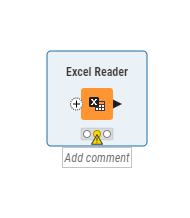
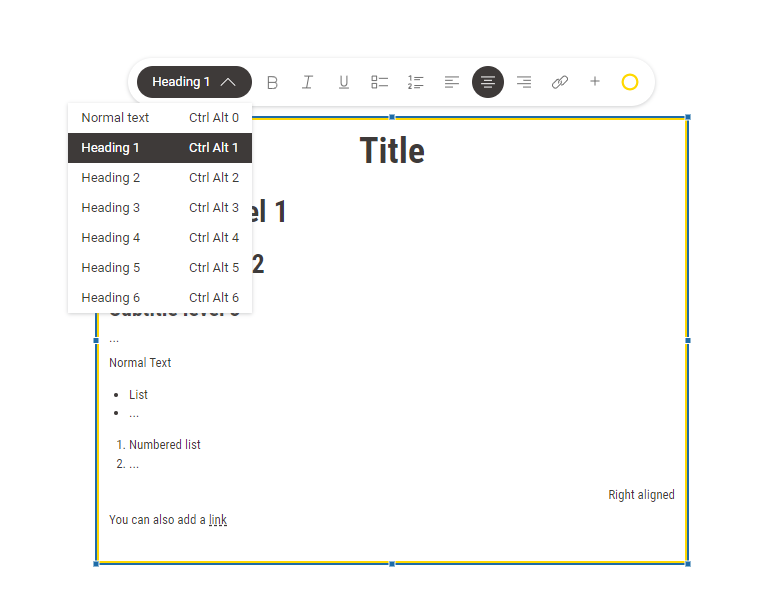
Yes, use annotations or directly add comments to nodes.
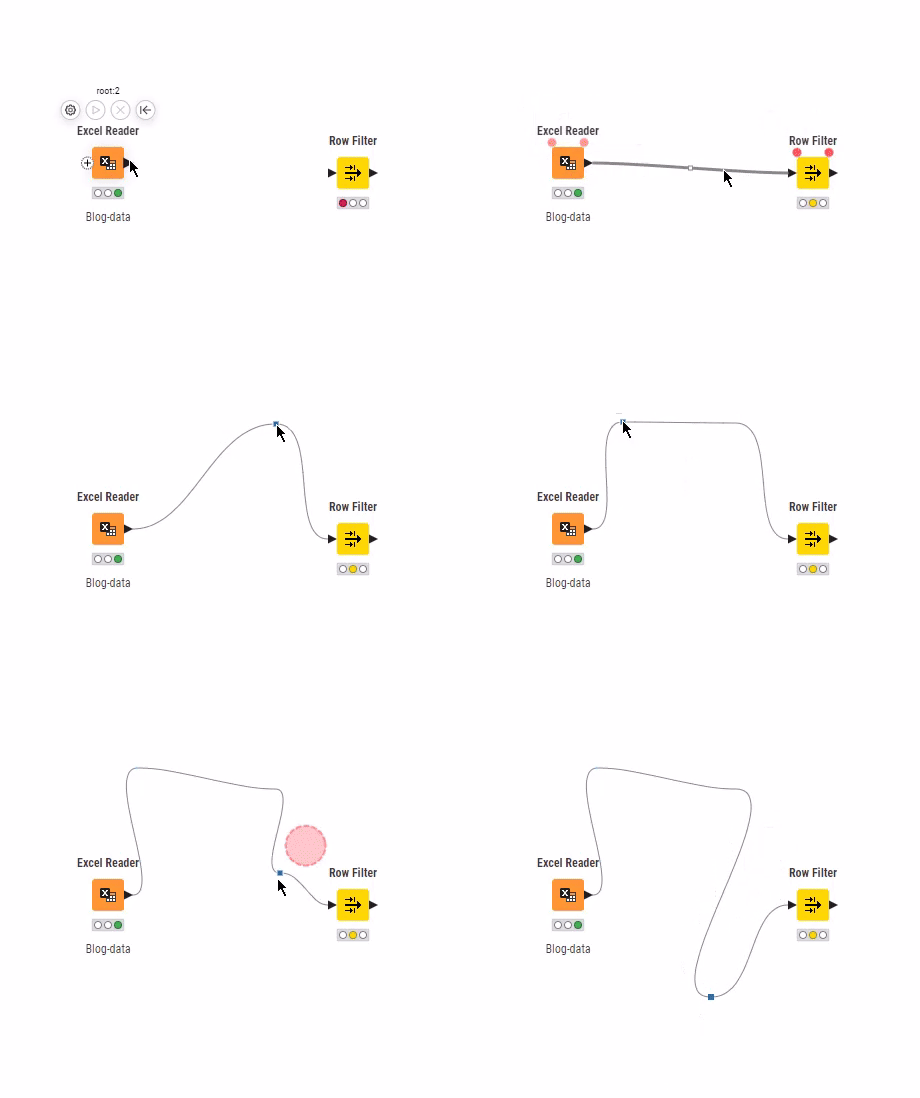
Can I organize the connections between KNIME nodes?
Yes, hover the cursor over a connection, then drag and drop the square that appears at the half-way point of the connection.. You can add multiple “bendpoints” to connections.
Performance
How does Knime execute workflows?
Knime executes node by node, by default, so you can inspect the intermediate results of your workflow at any stage. If you don’t need intermediate results and want to optimize performance, you can switch on streaming capabilities. Data size never blocks execution, but a larger file size might take longer to run.
How can I set up KNIME for maximum performance?
Configure Knime to use the columnar backend and make use of available memory/RAM to speed up performance. Our Best Practices guide shows several examples of how to build efficient workflows.
Governance
Can I securely use credentials and passkeys with Knime?
Yes, use the Secret Store and the Secrets Retriever node to securely use credentials or passkeys in Knime.
How do I centrally manage connections to databases or other data sources in Knime?
You can use shared components, which not only enable you to share single connections, but also pre-filter, augment and package connections and other data. In fact, any business logic that can be packaged can be shared. With the help of configuration nodes, you can even provide settings options to cover multiple similar use cases.
Can I run Knime in my own infrastructure?
Yes, Knime can be run on-prem, as well as in customer-managed clouds.
How can I monitor what is going on in Knime?
Knime offers governance at multiple levels. Job instrumentation is just one example and provides records of all executions happening. The Admin resources for Knime Hub collection provides details and more examples.
If you need monitoring at an infrastructure level, you can connect Knime Hub to external tools like Grafana. You can also monitor user activity (logins) via Keycloak.
What governance features does Knime offer?
Knime can sync users and groups with corporate identity providers using SCIM. And you can use the Secret Store feature to store and securely access credentials and passkeys from your workflows.
Additionally, the Continuous Deployment for Data Science (CDDS) framework enables you to govern the deployment of workflows flexibly, meeting custom and changing demands. You can browse example workflows and further resources for learning about CDDS for Knime Hub on the Knime Community Hub.As an open software, how is the quality of Knime software maintained?
KNIME Services
Can I get KNIME training?
Yes, there are several free/paid options to train people in Knime: online courses, self-paced courses and dedicated instructor-led Knime training sessions that can be delivered by Knime directly or via partners. Find out more in the Learning Center.
How can I migrate Alteryx flows to KNIME workflows?
Our Professional Services team has hands-on experience migrating customers' Alteryx workflows into KNIME-ready workflows.
We begin by running your Alteryx workflow files through a proprietary analysis tool that classifies each one into complexity tiers. This lets us scope the time and resources the migration will take up front, so you get a clear, detailed picture of what's included in the service before work begins.
The migration itself is a blend of efficiency-focused AI tooling, built on the accumulated pattern knowledge from our history of Alteryx-to-KNIME migrations, working alongside data scientists who take a hands-on, expert look at every workflow.
This combination of proprietary tooling plus experienced staff gives you speed without sacrificing accuracy. We also take an iterative approach: a four-phase process — assess, prioritize, migrate, and validate — applied to each workflow until you give final sign-off. Each phase builds on the one before it.
Every converted workflow stays visible, inspectable, and auditable from the first node, giving you governance and speed.
Can I migrate from Alteryx Scheduler?
Yes. While Knime does not offer a desktop-based scheduling solution, single teams/small companies can get affordable access to scheduling via the cloud-based Team plan on Knime Community Hub.
What does KNIME Business Hub offer?
Knime Hub is an enterprise software for collaborating on, and deploying data science solutions to drive analytic insights across the organization.
Business Hub’s scalable, cloud-native architecture lets teams run any number of models and deploy to any number of users. While IT allocates seats and execution resources, team controlled execution ensures faster adoption.
Anyone who builds analytic solutions with the low-code, no-code Knime Analytics Platform can leverage Knime Hub to scale these insights across the enterprise
With Knime Hub, organizations can:
- Share knowledge publicly across their organization or privately with select users.
- Build repositories of reusable workflows for teams, departments, or the entire organization, share training materials and give others a head start in building workflows with browsable and downloadable solutions.
- Keep track of who did what with a record of workflow revisions and the ability to rollback.
- Schedule workflows to run automatically to deliver insights when needed and deploy workflows as interactive data apps, REST APIs, or reports organization-wide.
Is there a KNIME-hosted (SaaS) offer of KNIME Hub?
Yes, we offer a cloud-based Team plan on Knime Community Hub. It works in combination with the free Knime Analytics Platform, and offers features tailored to single teams/small companies who want an easy way to collaborate on, schedule, and automate workflows.
How is support organized at Knime?
In addition to community support you’ll find at Knime Community, support migrating from Alteryx to Knime is offered by our Professional Services.